A Virtual Tour Should Answer Questions, Not Just Show a Space
A virtual tour can be beautiful and still leave a prospective customer uncertain. A visitor may be able to look around a venue yet struggle to find its capacity, understand how rooms connect or work out what to do next. For a property owner or hospitality business, that is a missed opportunity: the visitor came with a decision to make, not simply a panorama to admire.
Our view is that the best virtual tours are designed around the questions people ask before they visit, book or enquire. Visual quality matters, but it works hardest when it is paired with clear navigation, accurate information and a useful next step. A smaller tour that answers the right questions can be more valuable than a larger experience filled with features visitors do not need.
This is an editorial judgement rather than a claim that every business will get the same result. The right design depends on the audience, the property and the purpose of the tour. The principle is to make the customer's journey the starting point.
Looking around is only the beginning
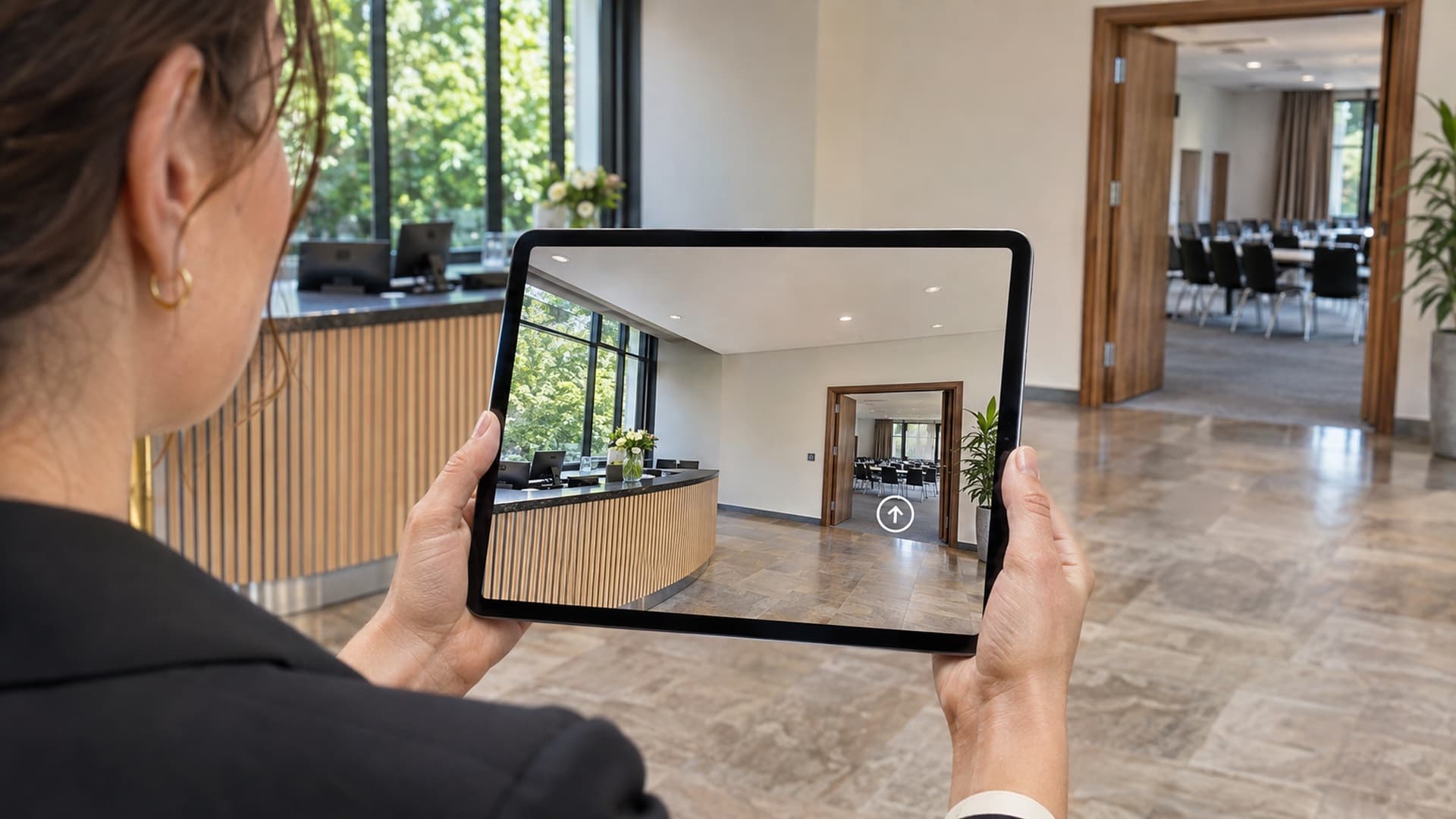
A virtual tour usually presents a series of 360° viewpoints or a navigable representation of a place. The visitor can look in different directions and, depending on the platform, move between locations. Some tours include labels, photographs, floor plans or links to additional information.
These capabilities can communicate spatial context that a single photograph may not. A visitor can see how a reception relates to a lounge, explore the position of windows in a meeting room or get a sense of the surroundings of a guesthouse. That context can help people prepare for a conversation or visit.
But seeing a space does not answer every practical question. An image of a dining area cannot reliably explain dietary options, service times or whether the room can be hired privately. A view of a conference room does not by itself confirm capacity in a particular seating arrangement. Good tours acknowledge that boundary and provide relevant information alongside the visuals.
A useful starting exercise is to list the questions your team answers repeatedly. Then decide which are best answered visually, which need text or a conversation, and which require a current document or booking system. The resulting tour should reduce uncertainty without pretending to replace every other source of information.
Start with the decision the visitor is making
Different audiences explore the same property for different reasons. A couple considering a wedding venue may want to understand the ceremony area, reception space and accommodation. A conference organiser may prioritise room layouts, access, power and connectivity. A guest may care about the relationship between rooms, shared facilities and parking.
If a tour serves all three audiences, its starting point and navigation should make their routes clear. That does not require three separate productions in every case. It may mean grouping viewpoints sensibly and providing concise labels that help each visitor find the relevant area.
For a property listing, the decision might involve whether to arrange a physical viewing. The tour should show important spaces in an understandable sequence and make it easy to contact the agent. It should also avoid concealing limitations through misleading camera angles or outdated content. Visitors need a fair representation to decide whether the next step is worthwhile.
A team can test its proposed structure by giving someone unfamiliar with the property a task. Ask them to locate the conference room, identify where guests enter and find the enquiry details. Observe where they hesitate or become lost. A discussion with a handful of representative users can reveal issues that are hard to see when the production team already knows every room.
Show the relationships between spaces
One of the strongest reasons to use a virtual tour is to communicate how a place fits together. Individual photographs can show attractive rooms, but visitors may still wonder whether the terrace connects directly to the event space or how far the accommodation is from the reception.
A well-planned route can make those relationships clearer. Capture positions should be chosen so that doorways, corridors and transitions are understandable. A simple floor plan or overview can provide context where the tour platform supports one. Labels should use terms the visitor recognises, rather than internal names known only to staff.
Avoid adding every possible viewpoint simply because it is technically possible. Too many similar positions can make a tour feel repetitive and slow to navigate. A smaller set of deliberate viewpoints can reveal the layout more effectively, provided that important areas are not omitted.
The initial view deserves particular attention. A visitor arriving from a search result may know very little about the property. A recognisable entrance, a clear overview or a helpful starting room can establish context. If the tour opens facing a blank wall or an unexplained detail, the visitor must work harder before they understand where they are.
Add information where it helps
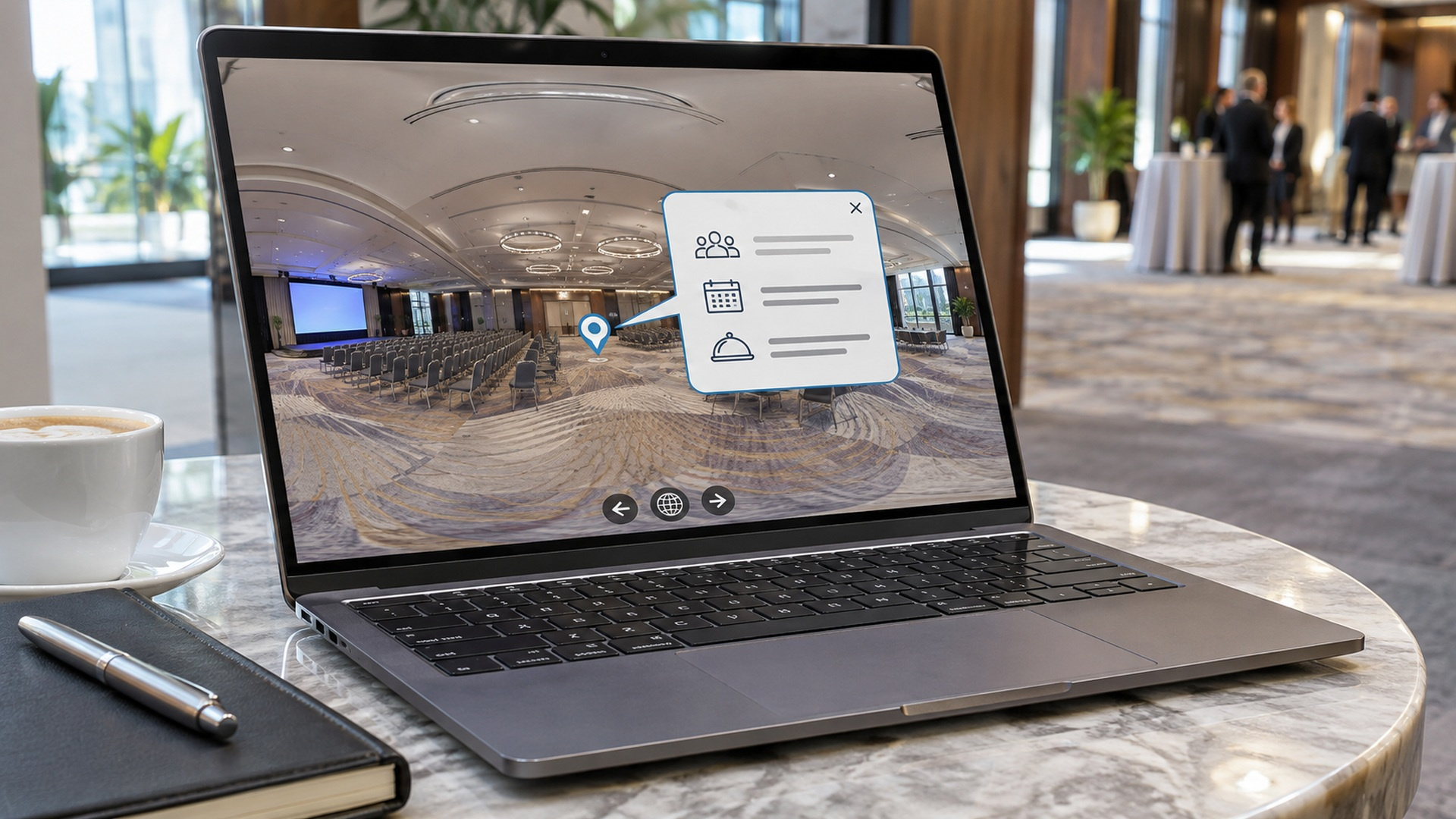
Interactive markers can be useful when they answer a question at the moment it arises. In a meeting room, a marker might link to capacity information for different seating layouts. In a guest room, it might identify the bed configuration or lead to current booking details. In an event space, it could explain access to an adjoining outdoor area.
The information should be concise and maintained. Long promotional paragraphs can interrupt exploration, while outdated pricing or facilities can damage trust. If the underlying information changes often, consider linking to a maintained page or system rather than embedding a static value that no one remembers to update.
Markers also need clear labels and consistent behaviour. Visitors should be able to tell whether selecting an icon will open text, play a video, move to another room or leave the tour. Important instructions should not rely solely on colour or a small symbol that may be difficult to see on a phone.
Not everything belongs inside the tour. A detailed accessibility statement, terms and conditions, or a full event package may be easier to read on a standard web page. The tour can provide a relevant link while keeping the experience focused on the space.
Make the next step obvious
A tour should fit into the business process around it. If a visitor is interested in a property, they may want to arrange a viewing. An event planner may want to ask about dates and capacity. A guest may need to check availability or speak to the property directly.
The next action should be easy to find without turning the tour into a series of intrusive advertisements. A clear contact option near the tour, a contextual enquiry link or a visible booking route may be enough. On a phone, check that the button is readable and that the destination works without forcing the visitor to start again.
It is also important to set expectations. If a form is for an enquiry rather than a confirmed booking, say so. If a response depends on office hours or a separate availability check, make the process clear. A tour cannot compensate for a confusing or unreliable follow-up process.
Teams should test the entire path from the visitor's perspective: open the page, explore a space, select the enquiry option and submit a test request. Confirm that the message reaches the right person and that the confirmation is understandable. This is often where a visually successful tour reveals an operational problem.
Design for mobile access and different needs
Many visitors will first encounter a tour on a phone. A desktop preview in the office does not reveal every issue they may face. Small controls, slow loading, an awkward embedded window or a difficult return to the website can all interrupt the journey.
Test on the devices and browsers that matter to the audience. Check the loading experience on a realistic connection, whether touch controls are understandable and whether the visitor can move between viewpoints without losing context. Large files may need optimisation or an alternative presentation for some users.
Accessibility should be considered from the start. Some visitors may not be able to use a drag-to-look interaction or may find immersive movement uncomfortable. Provide a conventional route to essential information, such as photographs with meaningful descriptions, room details and a contact option. Where possible, check keyboard operation, readable text and screen-reader support in the chosen player.
The Web Content Accessibility Guidelines provide a useful framework for web accessibility, but support varies across tour platforms and implementations. Ask the supplier what has been tested, what limitations remain and how a visitor can obtain equivalent information. A fallback is most useful when it is easy to find and provides the details needed to make the same decision.
Accuracy is part of the experience
A virtual tour creates an expectation about a real place. That makes accuracy a business issue as well as an editorial one. A beautifully captured room may no longer match reality after a renovation, a change in furniture or the removal of a facility. A temporary event setup can also be mistaken for a permanent feature if it is not explained.
Before capture, decide what should be shown and how the space should be prepared. After capture, review the tour for details that may be misleading or sensitive. Check signage, screens, personal belongings and the presence of identifiable people. Obtain the appropriate permissions for locations, participants and any materials included in the final content.
A review date helps keep the tour useful. Assign someone to check it after major changes and at a sensible interval. They should verify labels, links, contact details and visual accuracy. If a full recapture is not immediately practical, an explanatory note or updated information may help, but it should not obscure a significant mismatch.
Be equally careful about measurement. A 360° view can show spatial relationships, but a visitor should not assume it provides survey-grade dimensions. If accurate measurements are needed for planning, supply verified dimensions and identify their source or arrange a site inspection.
Measure usefulness, not just activity
A tour can generate numbers such as views, time spent and interactions, depending on the platform and consent settings. These are useful signals, but they need interpretation. A long visit might mean the visitor is engaged, or it might mean they cannot find the next room. A high number of clicks does not by itself prove that the tour led to an enquiry.
Choose measures that relate to the business goal. A venue might track completed event enquiries and ask its team whether the information provided is sufficient for a useful response. A property business might record viewing requests and gather feedback about the questions prospects had after exploring the tour.
Qualitative feedback is valuable too. Ask visitors what they learned, what remained unclear and whether they knew how to contact the business. Sales and reception staff can identify recurring questions that suggest a label, viewpoint or supporting page needs improvement.
Analytics must be configured responsibly. Understand what data the website and tour provider collect, the choices available to visitors and applicable privacy requirements. Collect only what is needed for the stated purpose and review any third-party tools with appropriate advice.
A better brief for a better tour
A useful brief starts with the audience and the decisions the tour should support. Identify the spaces to capture, the questions to answer and the action visitors should take next. Then agree on navigation, information, device support, accessibility alternatives and how the content will be kept current.
Ask to review a proposed route before production and test the finished tour with people who do not already know the property. Include the website page and enquiry process in that review, not just the panoramic images. The goal is a coherent visitor journey from first impression to useful conversation.
A virtual tour is most effective when it helps people understand a place and move forward with confidence. If you are considering one for a property, hotel or venue, explore MetaXR's virtual tour service and discuss the questions your visitors need answered.