Mixed Reality in 2026: When Digital Information Meets the Real World
Mixed reality is becoming one of the most useful parts of the wider extended reality landscape. It combines elements of the physical world with digital content that appears to exist in the same space. Instead of taking a person completely away from their surroundings, mixed reality allows them to see the room, equipment, people and objects around them while digital instructions, models or visual elements are placed into their view.
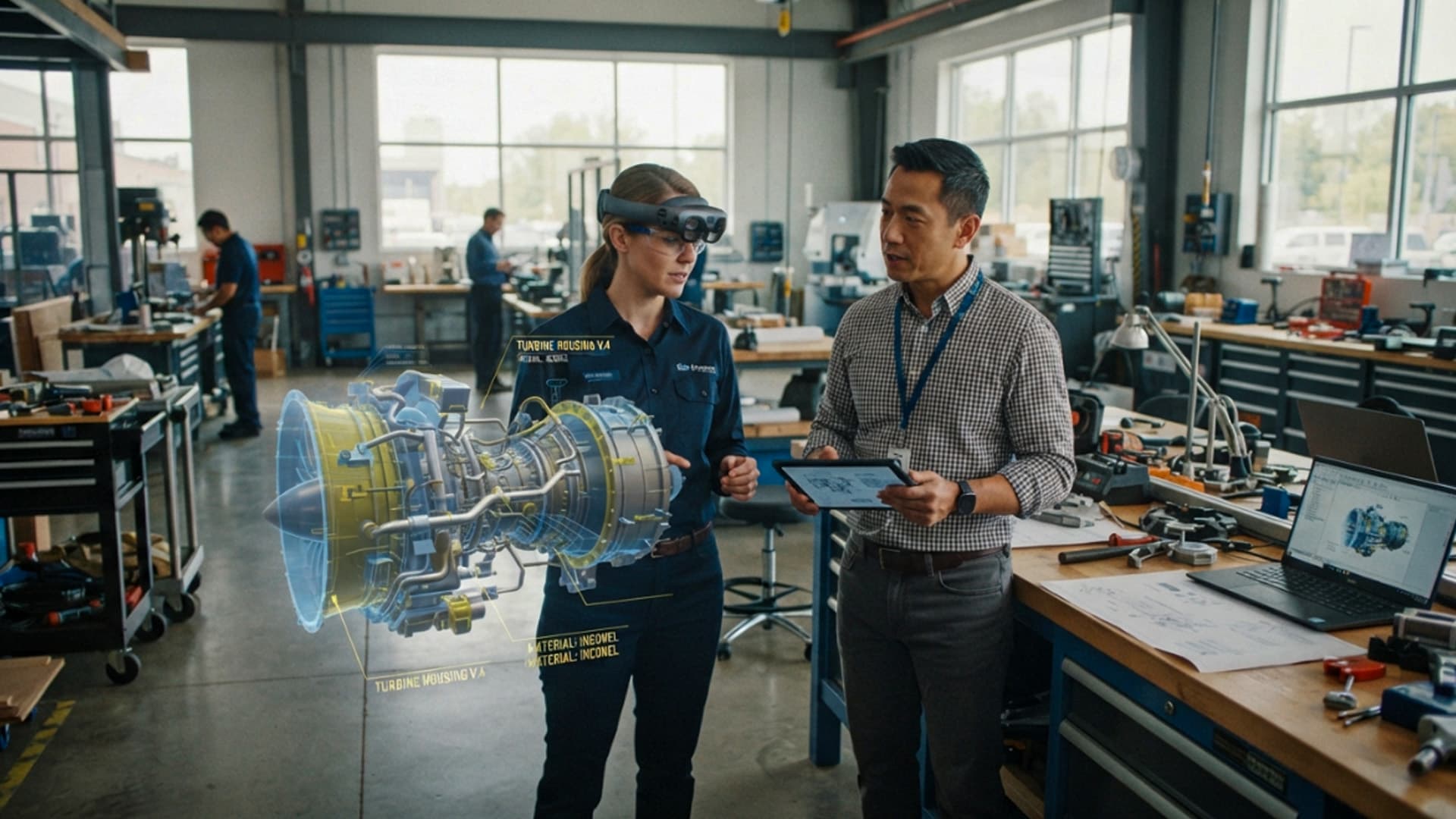
This makes mixed reality different from a standard screen experience. A laptop can show a 3D model, a video call or a set of instructions, but it cannot easily make that information feel connected to the actual space where a person is working. Mixed reality can place a digital model on a real table, show a guide next to a machine or allow a remote expert to see what a technician is looking at.
In 2026, the technology is being judged less by how impressive a headset looks and more by whether it helps people do useful work. Organisations are looking at mixed reality for training, product design, maintenance, remote support and collaborative planning. The strongest projects are focused on specific problems where physical context matters and where traditional screens do not give users enough spatial understanding.
The result is a more practical view of immersive technology. Mixed reality is not about adding digital effects to every task. It is about using digital information at the moment and in the place where it can make a real difference.
What Makes Mixed Reality Different From AR and VR
Augmented reality, virtual reality and mixed reality are often grouped together because they all change how people interact with digital content. However, each one creates a different type of experience.
Virtual reality places the user inside a fully digital environment. It is useful when a person needs to be removed from the real world and placed inside a simulation, virtual tour or interactive training scenario. Augmented reality usually adds digital information over a live view of the real world, often through a phone or tablet. It can be useful for simple overlays, navigation, product previews and interactive marketing.
Mixed reality goes further by making digital content feel anchored to the real environment. A virtual object can remain in position on a real surface, respond to the layout of a room and be viewed from different angles as a user moves around it. This creates a stronger sense that physical and digital elements are working together.
Digital Content That Understands Physical Space
The key feature of mixed reality is spatial awareness. Devices use cameras, sensors and software to understand surfaces, distance and movement. This allows a digital object to appear on a desk, next to a machine or inside a real room without floating randomly in front of the user.
For example, an engineering team can place a full-scale digital model of a component into a workshop and inspect it from different sides. A trainer can show a learner where a tool should be used. A remote specialist can point to a specific part of equipment while an on-site worker sees that guidance in the correct location.
This is useful because many tasks are easier to understand when information is connected to the physical environment. Instead of asking people to translate a flat diagram into a real-world action, mixed reality can bring the diagram closer to the action itself.
Choosing the Right Technology for the Task
Not every project needs mixed reality. A 360-degree video may be the best option for a destination preview. A fully virtual simulation may be more suitable for safety training where the user needs to experience a scenario that cannot be recreated in a normal room. A mobile AR experience may be enough for a simple product demonstration.
Mixed reality becomes valuable when users need to see both the real environment and digital content at the same time. This is common in design review, technical training, remote assistance and workplace guidance. The goal should always be to choose the format that makes the task clearer, not to use the most advanced technology available.
Mixed Reality Is Improving Training and Skills Development
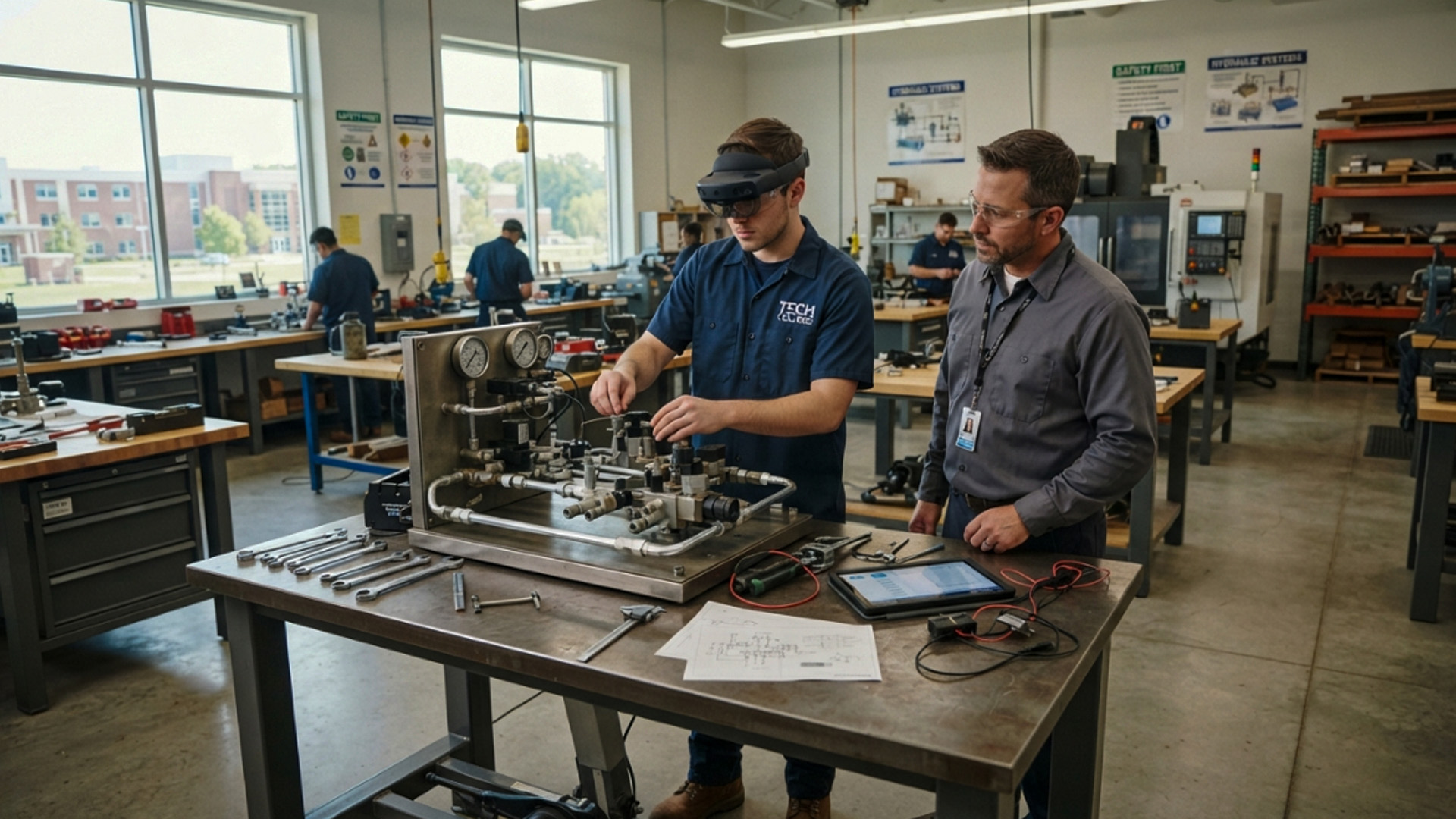
Training is one of the clearest uses for mixed reality because people often need to learn in the same type of environment where they will eventually work. A written manual can explain a process, and a video can demonstrate it, but learners may still struggle when they are standing in front of real equipment for the first time.
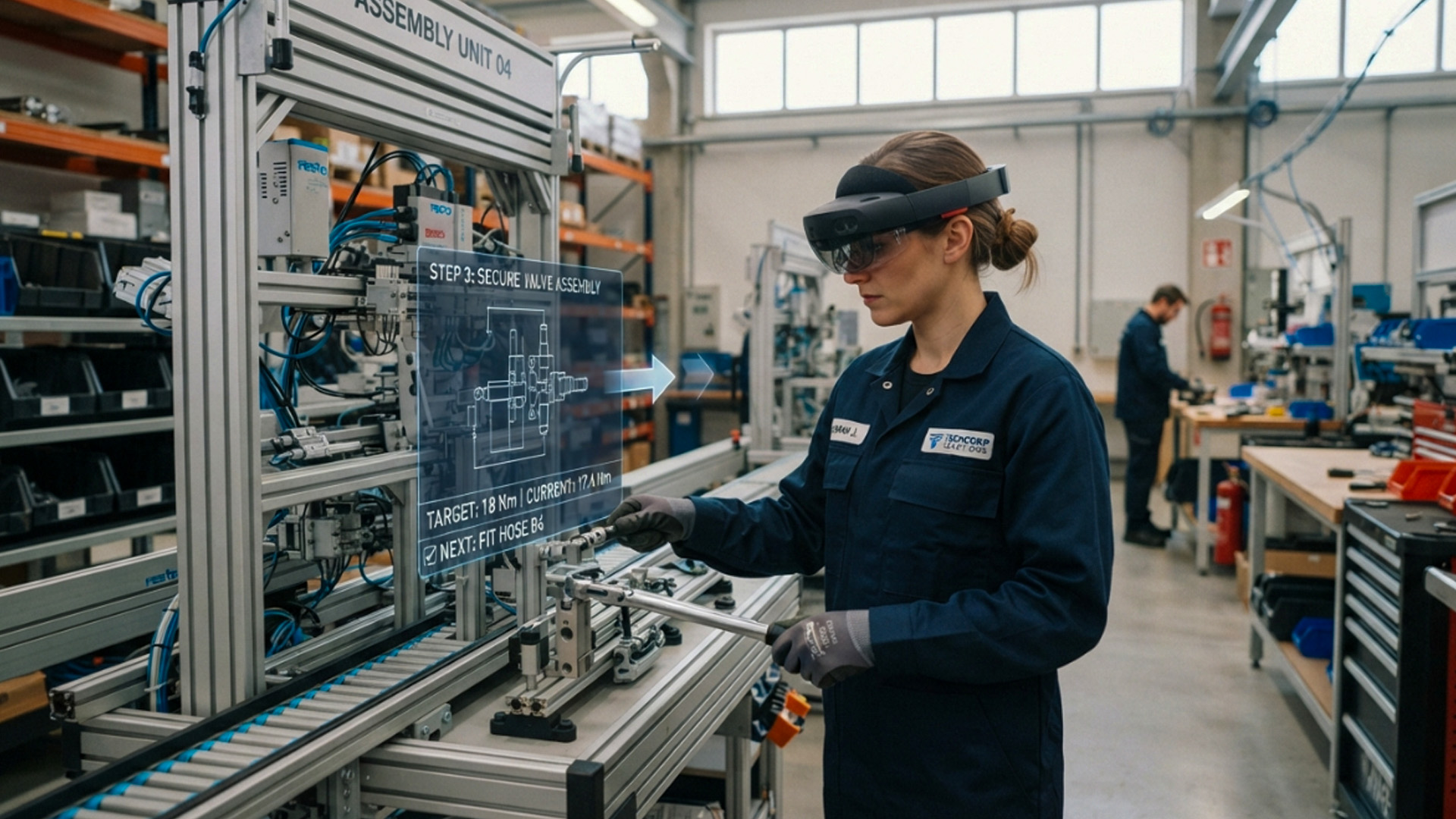
Mixed reality can guide a learner through the process while they remain aware of their surroundings. Digital prompts can show the correct sequence, highlight important parts and explain why a particular step matters. This can help learners build confidence before they are expected to work independently.
The technology is especially useful in industries where safety, accuracy and consistency are important. Manufacturing, healthcare, construction, logistics, engineering and technical education can all benefit from training that connects information directly to a real setting.
Learning by Seeing and Doing
People often learn practical tasks more effectively when they can see instructions and perform the action at the same time. Mixed reality can support this by breaking a complex task into smaller steps. A learner may see a digital arrow pointing to the next component, a label explaining the part or a visual guide showing how an item should be positioned.
This does not remove the need for experienced trainers. A trainer still provides judgement, feedback and support. Mixed reality can make the explanation more consistent and help learners focus on the details that matter.
It can also make repetition easier. A learner can repeat a procedure, review a difficult stage and practise at a pace that suits their level of experience. This is valuable when access to equipment is limited or when a task needs to be completed correctly every time.
Safer Practice Before Real-World Work
Some training environments involve risks that cannot be ignored. A learner may need to understand machinery, electrical systems, medical equipment or safety procedures before they begin practical work. Mixed reality can support preparation by showing learners what to expect and helping them recognise important hazards.
A training programme can use digital overlays to identify restricted areas, explain protective equipment or show the correct order of operations. This can reduce uncertainty and help learners arrive at hands-on training with a stronger understanding of the environment.
Mixed reality should not be treated as a replacement for safety rules, supervision or practical assessment. It is most effective when it strengthens the wider training process and gives people more opportunities to learn before mistakes have real consequences.
Better Design Reviews With Full-Scale 3D Models
Design teams often work with complex models that are difficult to understand on a flat screen. A product may look correct in a CAD file, but its size, position and usability can feel very different when it is viewed at full scale.
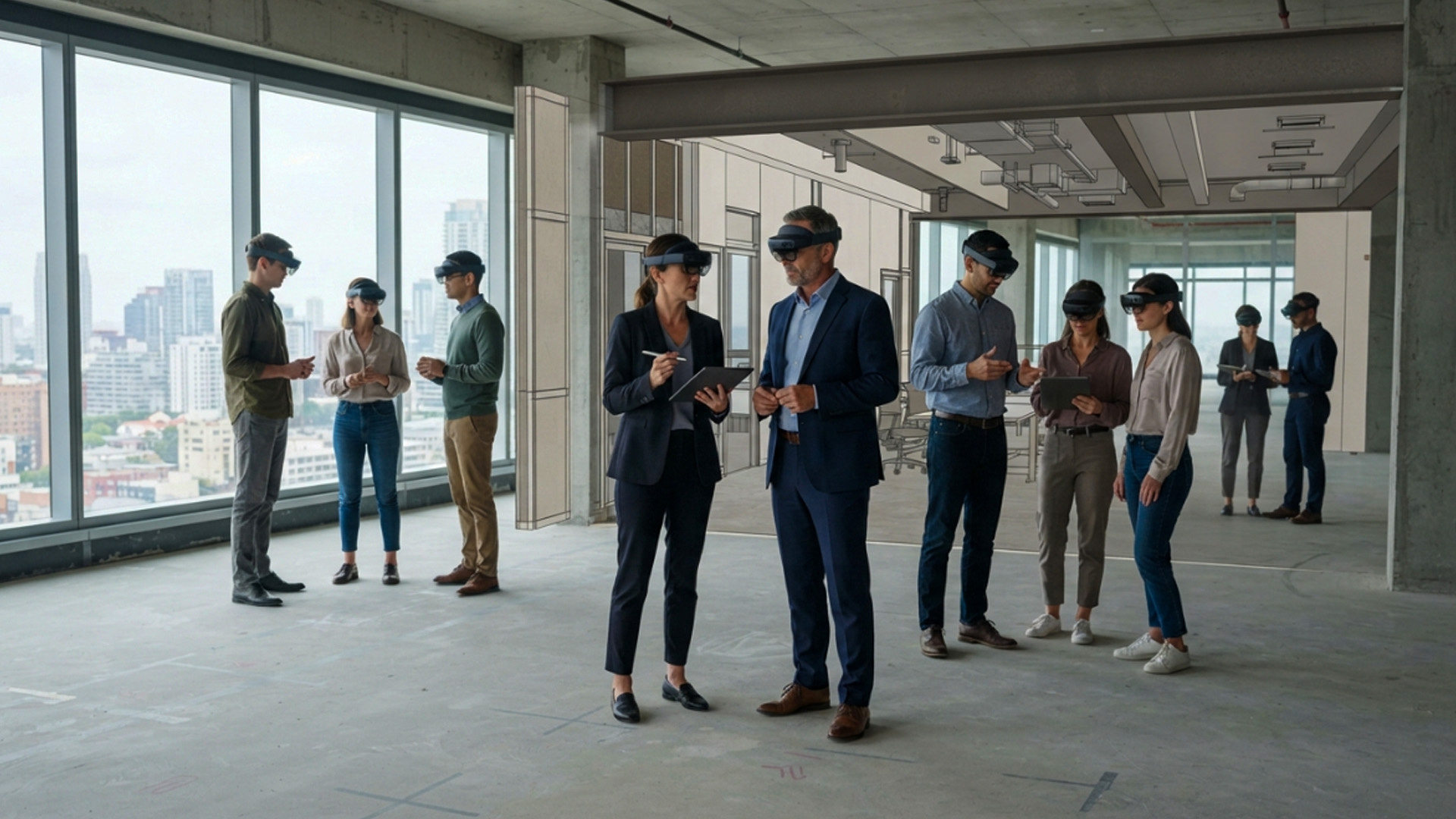
Mixed reality gives teams a way to place digital models into real spaces. An architect can view a proposed interior layout inside an empty room. A manufacturer can inspect a virtual component next to existing equipment. A product team can review the size and shape of an object before a physical prototype is produced.
This can make design conversations more practical. Instead of relying only on drawings and imagination, people can walk around the model, inspect it from different angles and discuss changes while looking at the same thing.
Bringing Stakeholders Into the Same View
Design decisions often involve people with different backgrounds. Engineers, clients, project managers, operations staff and designers may all need to approve a change, but they may interpret a 2D drawing differently.
A shared mixed reality experience can give everyone a more direct view of the proposal. Participants can point to a specific area, discuss spacing and identify potential issues before work begins. This can reduce misunderstandings and make it easier to explain technical ideas to people who do not work with 3D models every day.
The value is not that every meeting becomes virtual. The value is that certain complex decisions can be made with more context. When people can see a design at realistic scale, they are better able to ask the right questions.
Reducing Rework and Prototype Waste
Physical prototypes can be expensive and time-consuming, particularly when teams are working on large products, buildings or specialised equipment. Mixed reality does not remove the need for physical testing, but it can help teams identify obvious problems earlier.
A digital model can be adjusted quickly and reviewed again before materials are ordered or manufacturing begins. Teams can test whether a component fits, whether a layout allows enough movement and whether an object is easy to access.
This can lead to better planning and fewer late-stage surprises. The strongest results come when mixed reality is connected to an existing design workflow rather than being used as a separate demonstration tool.
Remote Assistance Is Becoming More Visual and Practical
Remote support has traditionally relied on phone calls, photos, messages and video meetings. These tools are useful, but they can become difficult when someone needs to explain a physical problem from a distance. A technician may be looking at a machine while an expert is trying to understand the issue through a small camera view.
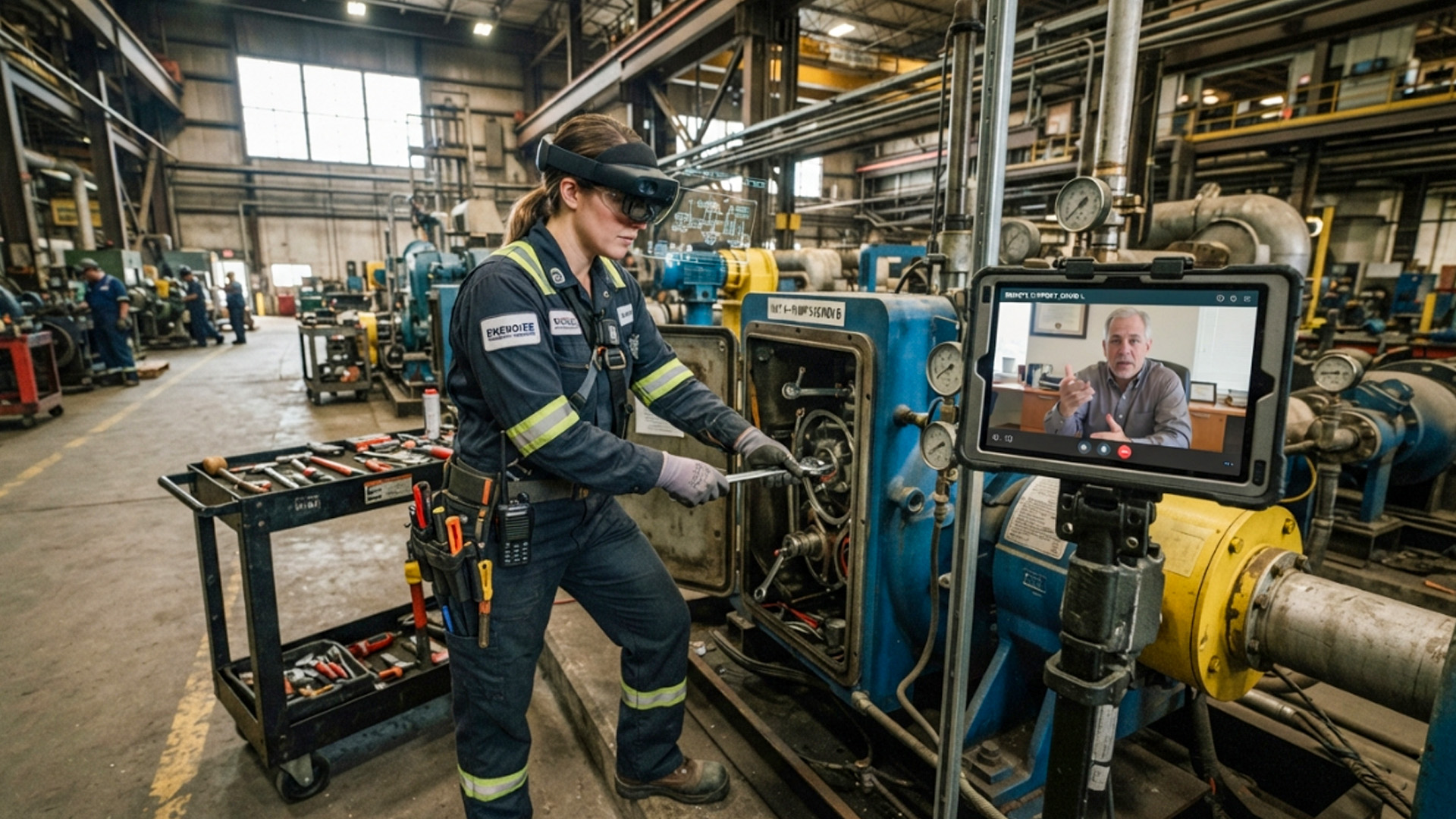
Mixed reality can make that conversation more visual. An on-site worker can share what they see, while a remote expert provides guidance connected to the physical environment. The expert may be able to highlight a part, draw a marker or guide the worker through a process step by step.
This can be valuable when specialist knowledge is not available at every location. A company can support field teams without always sending an expert to the site, which may reduce delays and travel costs.
Supporting Field Teams Without Replacing Them
The purpose of remote mixed reality support is not to replace skilled workers with a headset. It is to give workers faster access to the knowledge they need. A field technician still needs practical ability, safety awareness and experience. The technology can help them connect with the right person when a difficult issue appears.
For example, a maintenance worker may need help identifying a fault in unfamiliar equipment. A remote specialist can see the context, guide the inspection and help the worker decide what to do next. This can reduce downtime while allowing the on-site person to remain in control of the physical work.
The experience should be simple and reliable. If the system is difficult to launch or requires too many steps, it will not be useful in a time-sensitive situation. Good remote assistance tools focus on clear communication, stable sharing and practical guidance.
Privacy and Security Need Careful Planning
Mixed reality devices can capture detailed information about physical spaces, equipment and people. This makes privacy and security important, especially in workplaces where sensitive designs, customer information or restricted areas may be visible.
Organisations need clear policies about what can be recorded, who can access shared sessions and how data is stored. Employees should understand when cameras are active and how information from a session will be used.
Security should be part of the project from the beginning rather than an issue addressed after deployment. A useful mixed reality system needs to protect the people and information involved while still being easy enough for teams to use in real work.
What Successful Mixed Reality Projects Have in Common
The most successful mixed reality projects begin with a clear purpose. They are not built only to show that a company is using new technology. They are designed around a task that is currently difficult, slow, expensive or hard to explain.
A business may want to shorten training time, reduce errors during maintenance, improve a design approval process or give remote staff better support. These are measurable goals. Once the goal is clear, teams can decide whether mixed reality is the right tool and how the experience should fit into existing work.
It is also important to begin with a manageable pilot. A focused project can reveal how users respond, what technical issues need to be solved and whether the experience genuinely improves the task. This is more useful than trying to create a large platform before the organisation understands where the value lies.
Designing Around People, Not Devices
Headsets and software are important, but the people using them should remain at the centre of the project. Users need clear instructions, comfortable session lengths and content that makes sense in their daily work. They also need alternatives when a headset is not suitable for a particular person or situation.
A good mixed reality experience respects the user’s time. It should make a task easier to understand, not create another layer of complexity. This means keeping controls simple, avoiding unnecessary visual clutter and making sure digital content appears only when it is useful.
In 2026, mixed reality is becoming more valuable because it is moving closer to real work. It is helping people see information in context, practise skills with greater confidence and collaborate around the physical world they already understand.

