Custom VR Experiences Help Enterprise Teams Explore Complex Ideas
A complex process can be difficult to explain when it spans equipment, departments or decisions that are hard to observe together. A custom virtual reality experience can give a team a shared place to examine a process, explore a scenario or practise a response. Its value does not come from simply putting people in a headset. It comes from turning an abstract idea into something people can inspect and discuss.
Identify the complexity worth visualising
Enterprise projects often begin with a broad ambition such as improving understanding or collaboration. That needs to become a specific question. What is difficult to see in the current training or presentation? Which decisions are costly to practise in the real environment? Where do people hold different mental pictures of the same system? The answers help determine whether VR is suitable and what it should represent.
Some challenges benefit from spatial representation: a facility layout, a product assembly or a sequence of actions. Others may be better served by a diagram, video or facilitated discussion. A useful discovery phase considers the existing methods and identifies the particular gap a VR experience could address. This avoids building immersive content just because the technology is available.
Give teams a shared point of reference
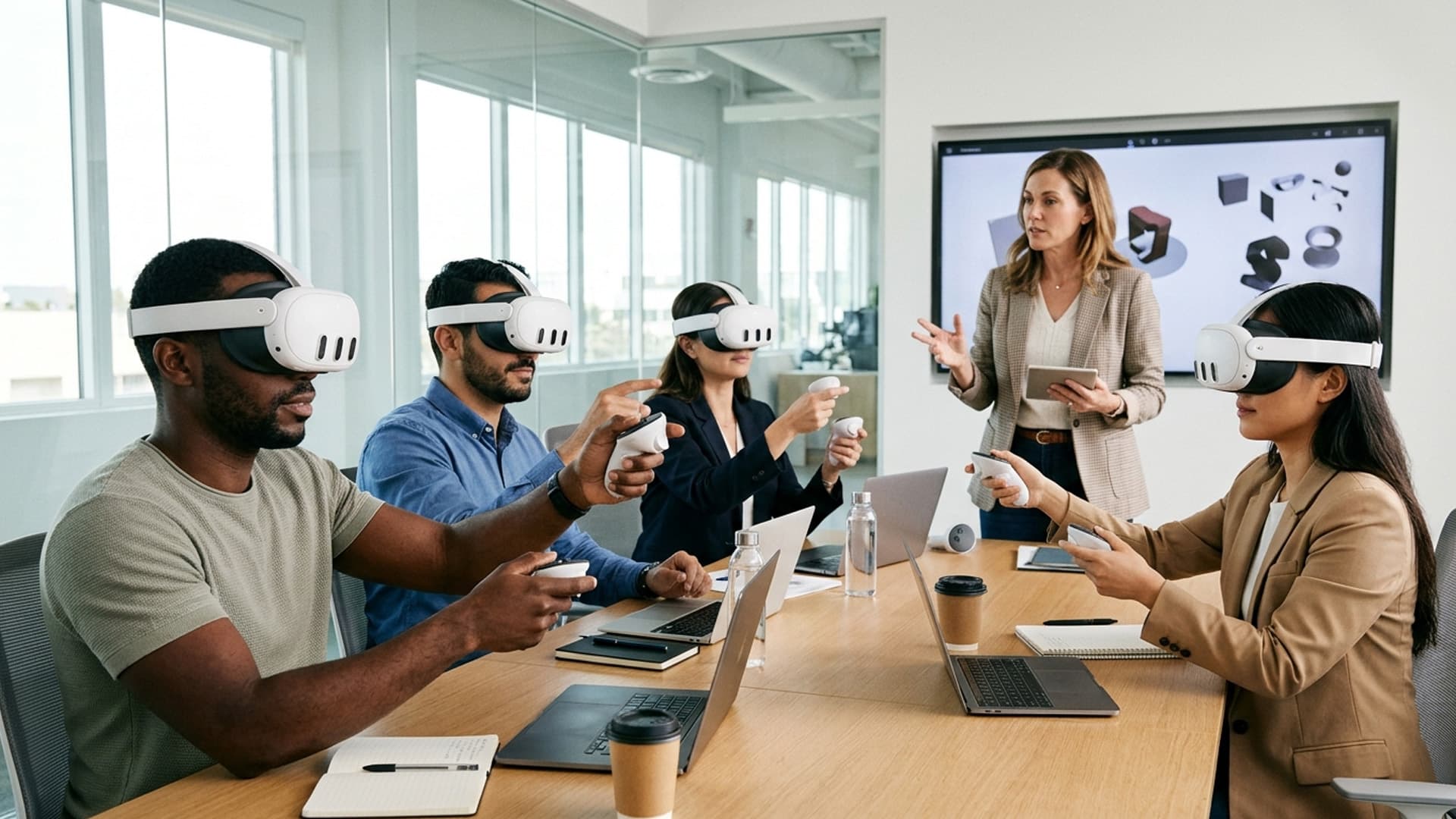
A well-designed environment lets participants refer to the same object, location or event. They can inspect a component, move through a scenario or compare alternatives while a facilitator guides the conversation. This can make a meeting more concrete, especially when stakeholders work in different places. Shared attention is more useful than simply sharing a virtual room; participants need a reason to look, choose or discuss something together.
Plan the collaboration model explicitly. Will users explore simultaneously, take turns, follow a facilitator or complete individual activities and compare results afterward? Each approach changes the software requirements. A multi-user environment needs clear identity cues, voice or text communication and a way to recover if someone disconnects. A guided single-user experience may need less network complexity and can keep attention on the task.
Turn enterprise knowledge into an experience
Subject experts hold the detail that makes a simulation credible. Their knowledge should be gathered in a structured way: process maps, interviews, reference materials and review sessions can reveal the decision points that matter. Do not ask experts only to approve a finished scene. Involve them while the experience is being scoped and prototyped so inaccuracies can be corrected before they are expensive.
The digital version will always simplify something. Record what is represented, what has been omitted and why. That helps learners understand the boundaries of the simulation and prevents a visual approximation from being mistaken for a complete operational reference. For regulated or safety-related work, the organisation must validate the learning method through its own governance process.
Design an understandable interaction model
Users may be unfamiliar with VR or may only use it occasionally. Instructions should explain the first action without requiring a long tutorial. Use consistent controls, visible feedback and an obvious way to pause or exit. If participants need to collaborate, show who is speaking or where their attention is directed. Avoid making people remember a large collection of gestures while they are also trying to understand complex subject matter.
A useful interaction loop can be expressed simply: orient, inspect, decide, act and review. Each step should contribute to the objective. Optional exploration can deepen understanding, but should not obscure the required path. For different experience levels, hints can be available without forcing expert users through basic instruction every time.
Integrate with enterprise operations
The experience must fit the actual environment where it will be used. Consider headset availability, room setup, hygiene procedures, network restrictions, user accounts and time needed for onboarding. A prototype used by a small internal team may not be ready for deployment to multiple offices. Identify who installs updates, manages devices, responds to support needs and keeps scenarios current.
Security and privacy requirements also need early review. Decide whether users need authentication, what data the application records and where that information is stored. Avoid collecting personal or performance data without a defined purpose and appropriate approval. If the experience is intended for external partners, clarify access control and whether any proprietary information is visible in the environment.
Test learning, usability and performance separately
A team can find an experience visually impressive while still struggling to use it. Test task comprehension, control discoverability, comfort and device performance as distinct dimensions. Ask participants to complete a realistic activity without coaching, then review where they paused or made an unexpected choice. Ask the subject expert whether the scenario reflects the intended process and whether its simplifications are acceptable.
Performance testing should use target devices and deployment conditions. Frame-rate drops, long loads or unstable network sessions can undermine the experience even if the development workstation runs it smoothly. Include a recovery path for common failures and make sure the core task remains understandable when a peripheral feature is unavailable.
Measure the intended outcome
Set success criteria before a pilot. Depending on the purpose, these may include whether participants can explain a system, identify a risk, complete a sequence or compare options more accurately. Session duration alone is not a reliable measure: long use might mean deep engagement, but it might also mean confusion. Combine observed behaviour with participant feedback and the organisation’s existing measures.
A custom VR experience can make a complicated idea easier to examine when it is built around a real question. Clear scope, expert involvement, a coherent interaction model and practical deployment planning turn an immersive demonstration into a tool a team can actually use. Start small, test the learning moment and expand only when the additional realism or collaboration improves understanding.
Create a decision-ready pilot
A pilot should answer whether VR is the right tool for the enterprise problem, not simply whether the technology can run. Select one team, one scenario and a manageable session length. Agree in advance what evidence would justify expanding: participants may need to understand a system more consistently, complete a task with fewer prompts or identify a risk they previously overlooked. Keep the measure tied to the goal.
Schedule the pilot with people who represent the intended range of experience. Include a facilitator, technical support and a subject expert, but make sure the facilitator does not lead participants toward the expected answer. Observe independently, then gather reactions. Separate usability issues from content questions and technical faults. A participant who cannot locate a control has not yet had a fair chance to assess the learning value.
After the session, review the findings with decision-makers. Which assumptions held? What needs to change before the next test? Which ongoing costs—devices, content updates, support or network services—must be included in a wider rollout? A thoughtful pilot can reveal that a smaller or non-VR intervention is the better answer. That is useful information, not a failed project.
Document the pilot’s limits so that a promising result is not overstated. A small group can show that a workflow is understandable, but it may not prove effectiveness across every role or location. Use staged evidence to make responsible implementation decisions.
Decide how the pilot leads to a rollout
If the pilot meets its objectives, identify what must change before wider use: content localisation, additional device support, user provisioning, facilitator training or integration with existing systems. Estimate those responsibilities before promising a broad deployment. A successful one-room demonstration does not automatically prove that the experience will work across sites with different networks and procedures.
Set a review point after initial rollout and include a way for users to report inaccurate content. Use those reports to prioritise revisions. A clear transition from pilot to supported product prevents the experience from being left between teams with no one accountable for its operation.